Contact me


Every meeting break ended with a host asking a question nobody could answer.
Role
UX Designer — research, UX, UI
Time
Jan – Mar 2022
Team
1 PO · 2 PM · 1 UXR · 2 engineers
1M+
Daily users in month one
1M+ / mo
Still above the line every month since
4 wks
Research to launch
Context
The Missing Step in Every Meeting
Where it starts
Tencent Meeting is where China takes its meetings — 200 million users when this project started, over 400 million today. The flow was designed end to end, except for the ten minutes in the middle: cameras off, no signal, no state.
How it started
“The break experience in online meetings still feels rough. Maybe there’s room for better user experience — and monetization?”
— Pony Ma, CEO, in a product review
My first move
Breaks had been on our list for a while, but nothing errors and no metric drops when a room waits — so it never had weight. Same problem, new priority. And a direction isn’t a brief, so I turned it into a question we could test: what actually breaks when a meeting takes a break?
Research
We Asked Both Sides of the Screen
How we looked
We ran a fast round of interviews across classrooms and companies, then a survey to size what we heard. Three patterns came back — one for each way people meet.
15
Interviews · school + company
527
Survey responses
4
Roles: student, teacher, host, attendee
Key insights
Three Ways a Break Went Wrong
1
2
01Meeting
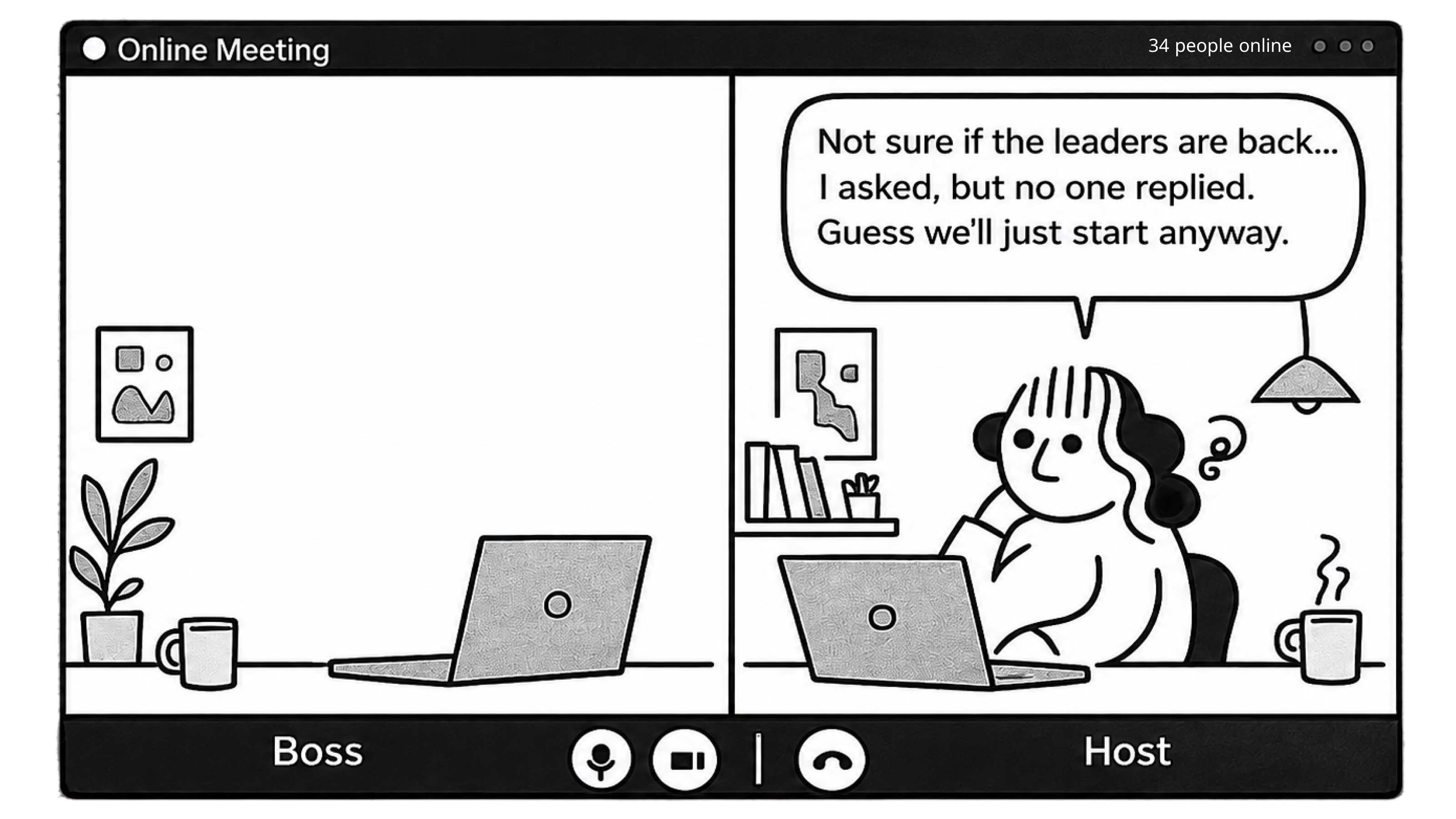
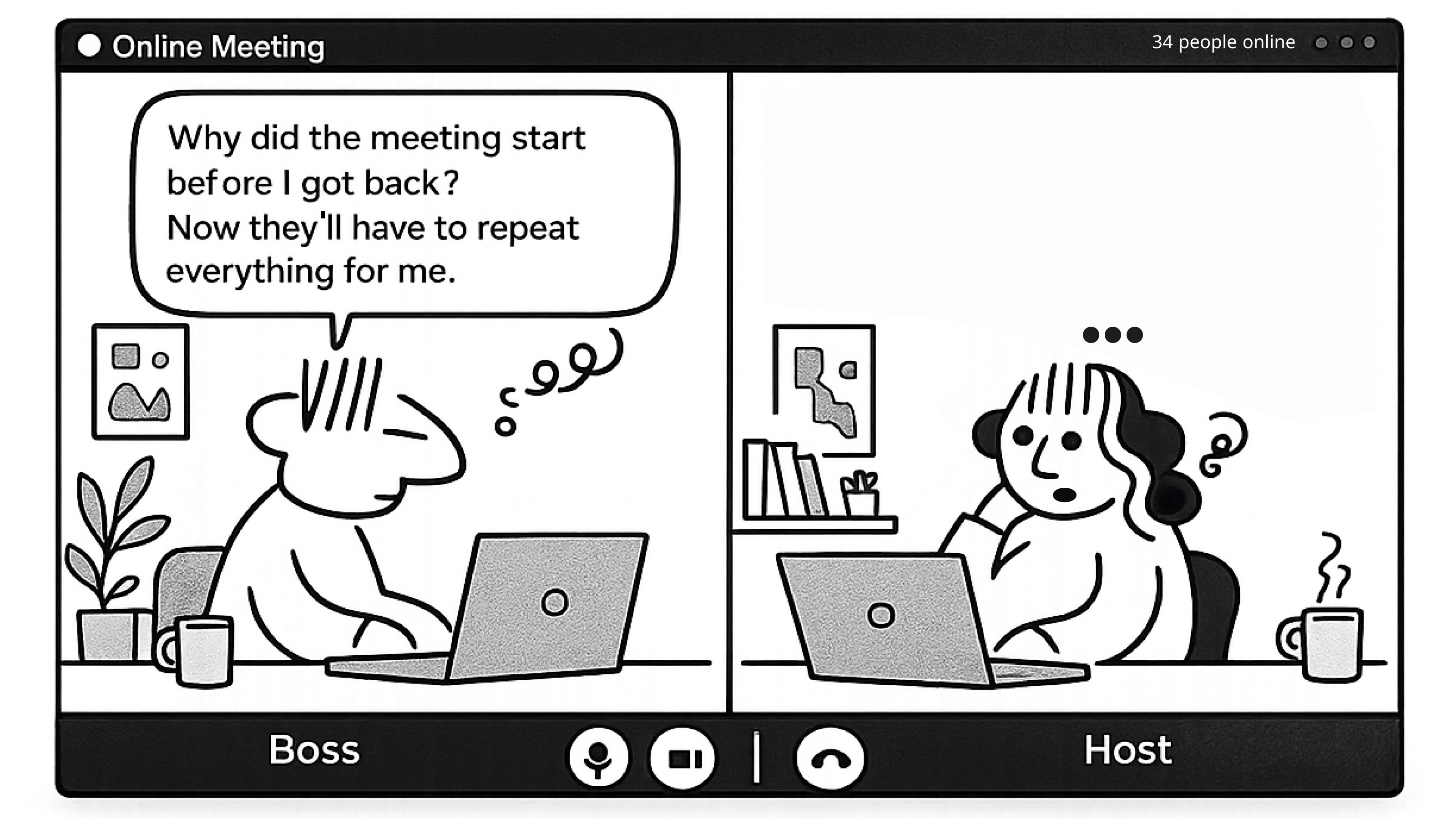
The host is always the last to know who’s back.
“I never know if everyone’s back — so I just ask.”
— David, enterprise meeting host · 86% of hosts said the same
HMWHow might we show hosts whether all — or just the people who matter — have returned?
1
2
02Class
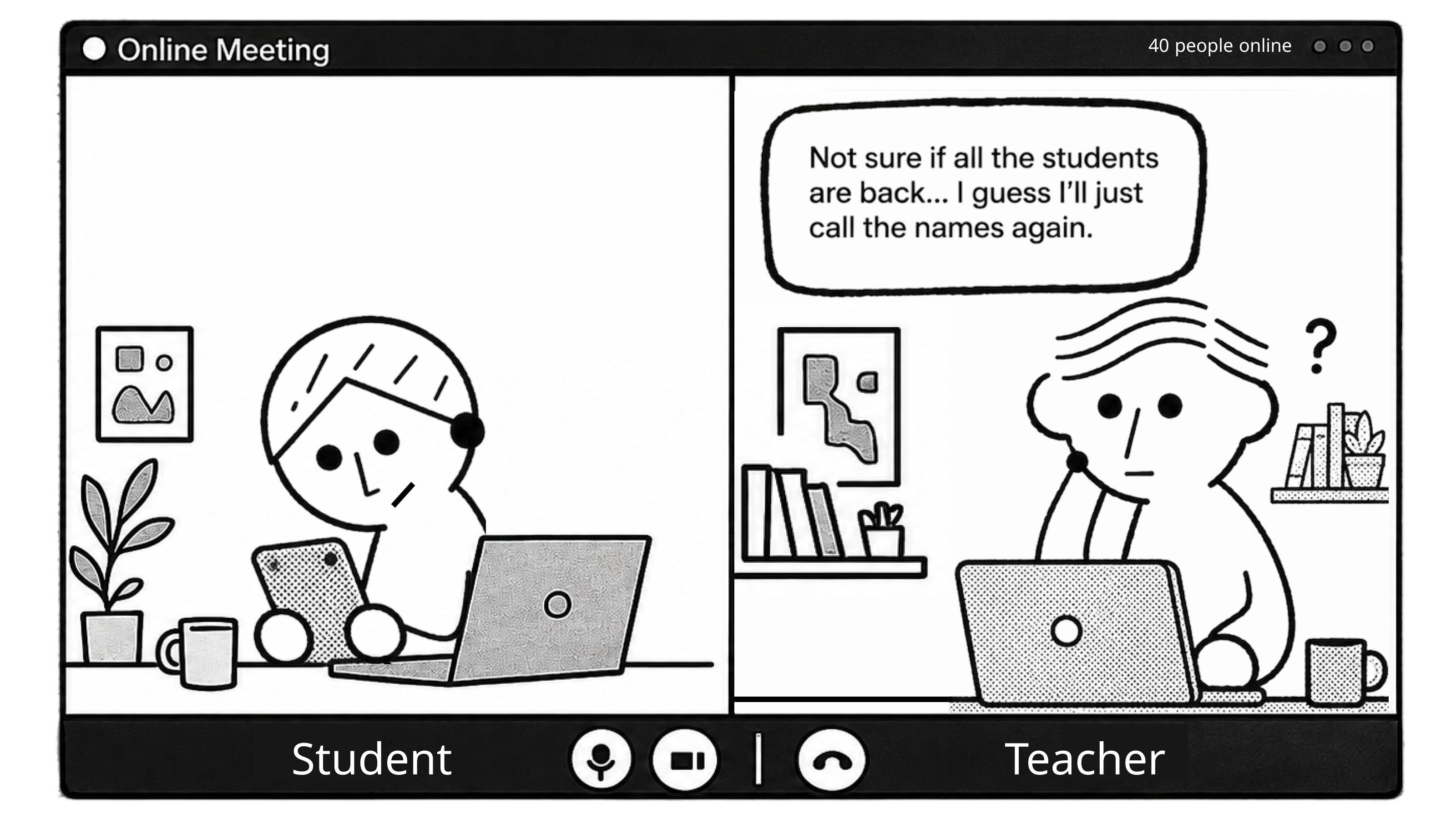
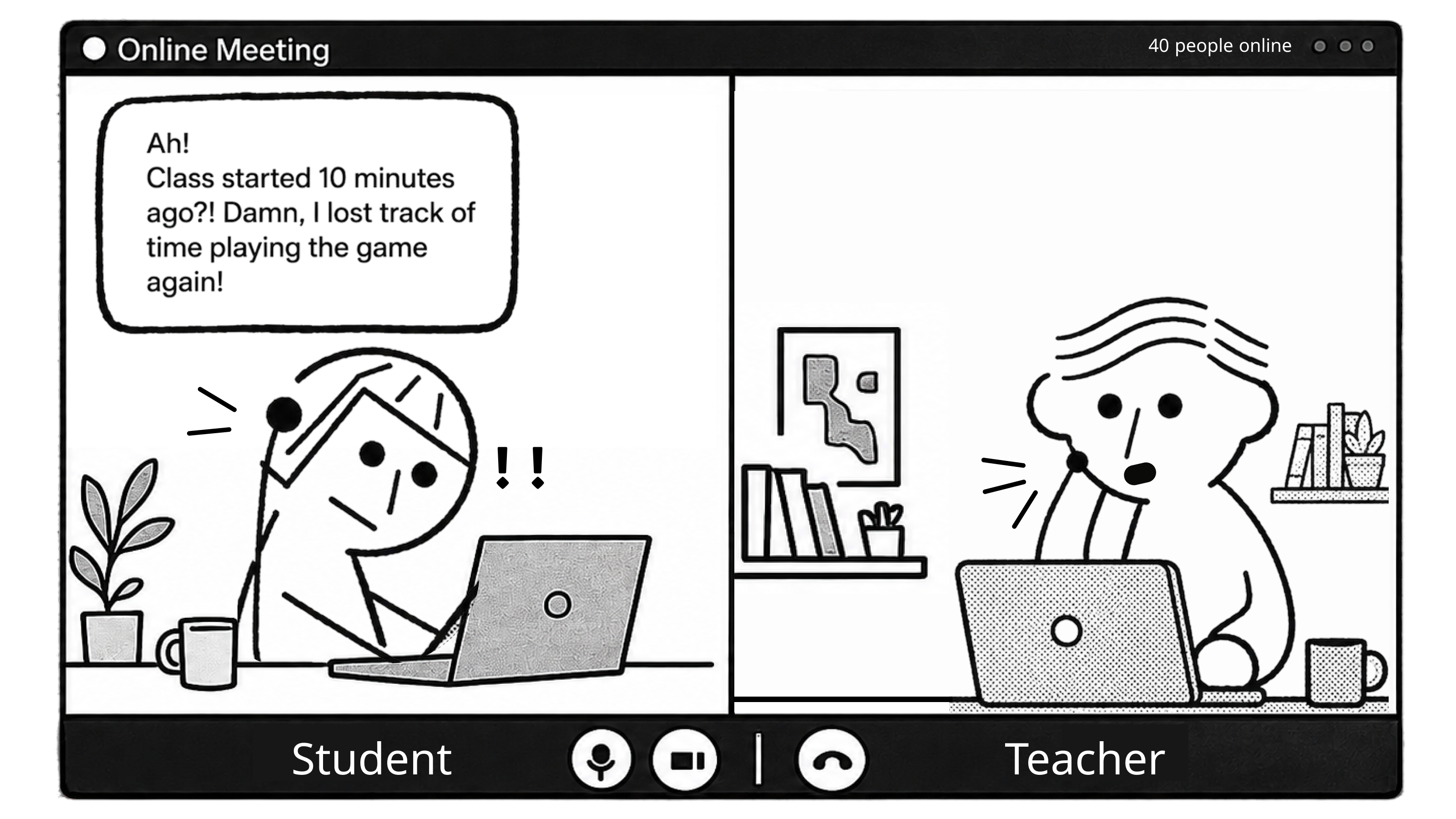
Students drift off, and miss the restart.
“I get distracted during the break and forget to come back.”
— Jason, college student · 62% said it happens to them
HMWHow might we bring people back on time without relying on memory?
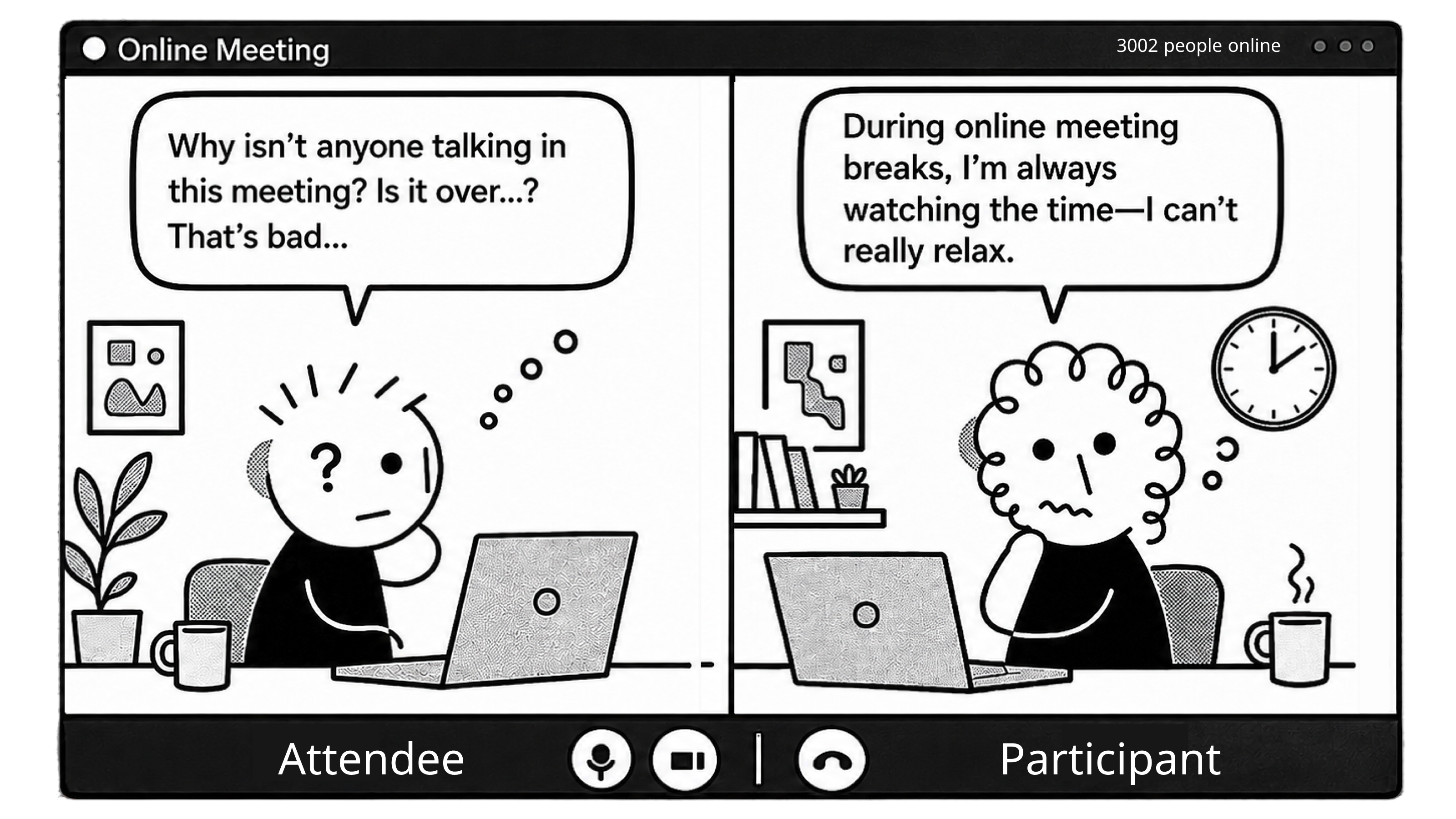
03Webinar
A break looks exactly like a dead meeting.
“I saw no one talking, so I left. I missed the important part.”
— Kevin, event attendee · 45% never actually relax during a break
HMWHow might we make a break look like a break — without anyone watching the clock?
The goal
What “Success” Meant to Each Team
Design
Solve it for every seat in the room
Hosts, participants and webinar attendees all break differently. One feature, three seats.
Product
Earn a place in the routine
Reached for naturally in the meetings that run long, week after week.
Business
Carry its weight commercially
Part of a wider monetization push: value worth a paid plan to schools and companies.
The idea
From Problem to Direction
1
Step 01 · Start from the most intuitive answer
Three problems, three jobs. For each one I began with what people already do off-screen — a bell rings, a clock sits on the wall, someone ticks names off a list. Zero learning cost.
2
Step 02 · Map both journeys
Host and participant, before, during and after — where the two paths cross, and where they don’t.


3
Step 03 · Wireframe, then ask
Rough frames in front of everyone with a stake — the CEO, PMs, engineers, and the customers who would actually use it. Their notes aligned the direction before any detail work began.
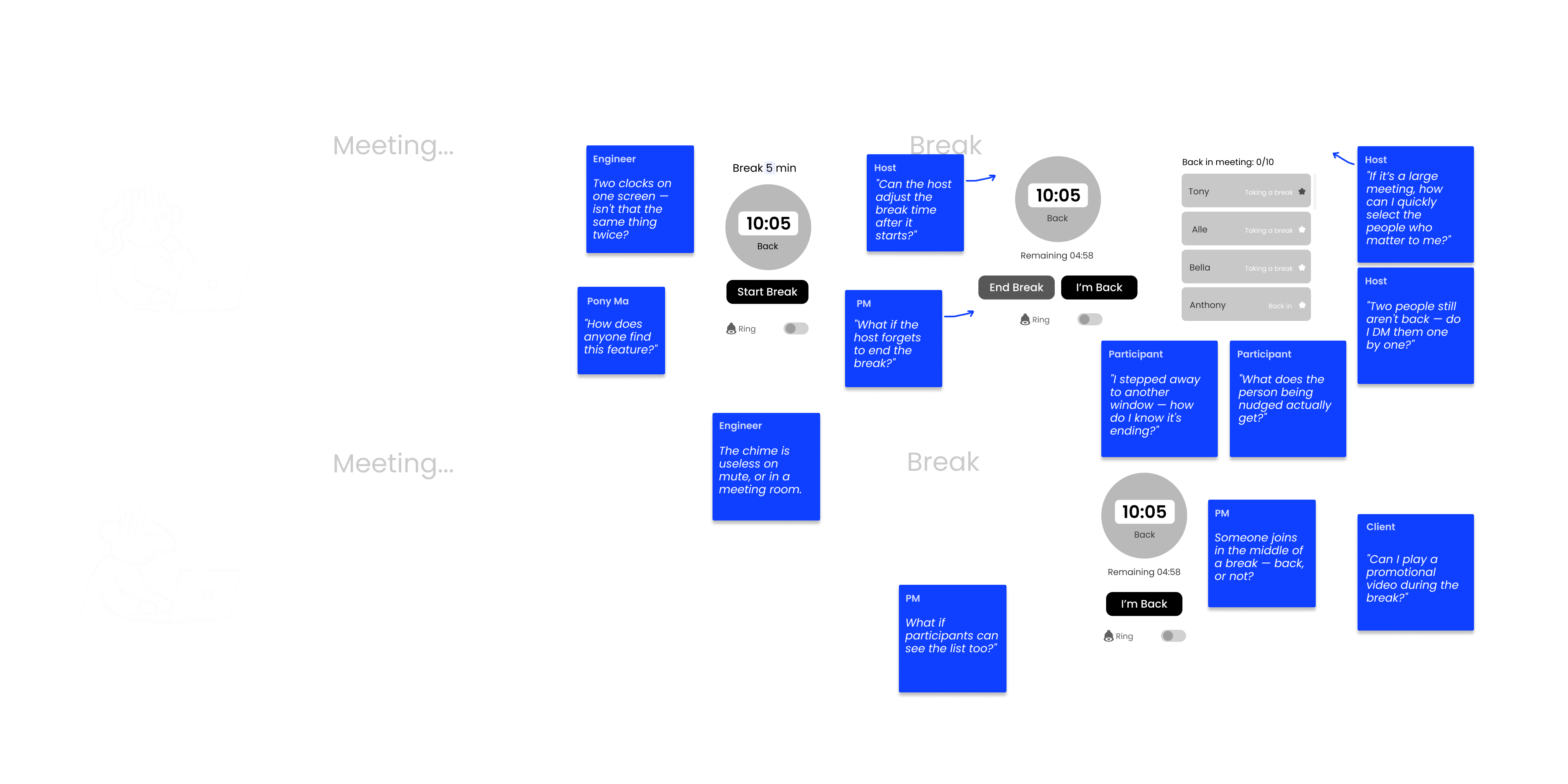
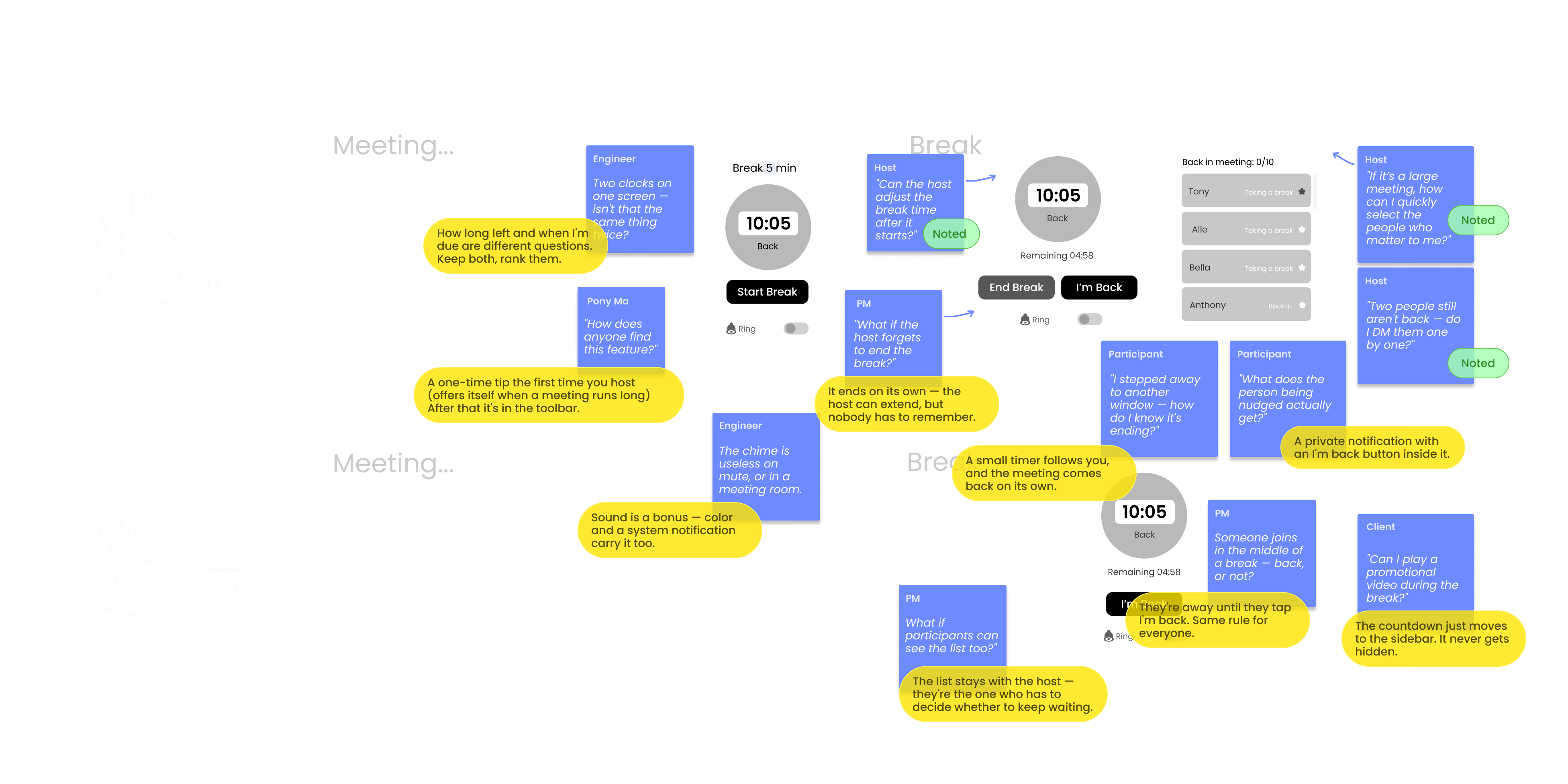
What I took into the design
Two ways in — In the toolbar when you look for it — offering itself when a meeting runs long.
Built for bad conditions — Sound off, another window, a room screen. Most meetings happen in worse conditions than a demo.
Same rules at any size — Five people or five thousand, host or participant.
Design 01
Where the Break Lives
Being found
People only use what they run into. So the break arrives three ways — once when you first host, again when a meeting starts to run long, and any time you go looking for it.

First time you host
A one-time hello on the toolbar.

Forty minutes in
The meeting offers a break before anyone asks.

Whenever you want
Always in the toolbar, with a dot until it is used.
Design 02
Start a Break Without Stopping the Meeting
Host, before the break
Setting a break shouldn’t cost the host their view of the room. The setup lives in the side panel — pick a length, decide whether a chime plays, done in two clicks while the meeting keeps running. And if the host closes the panel, the break doesn’t go with it: it shrinks into a small floating timer that stays on top of whatever they do next, so the countdown is never more than a glance away.
User need — Remind people to return on time.
Design call — A side panel keeps the room in view while you set the break.
Design 03
Know Who’s Back — Without Asking
Host, during the break
The check-in list turns “is everyone here?” into a number the host can read at a glance. In a thousand-person webinar, nobody scans a thousand names — so hosts can search and star the few people who matter and track only them, then extend or end the break on the spot. The host needs the list to decide whether to keep waiting; the room only needs the count.
User need — Know whether all — or key — participants have returned.
Design call — Star key guests so the glance still works at scale.
Design 04
Make a Break Look Like a Break
Participant
A dedicated break screen replaces the silence: a countdown that answers “how long do I have?”, a chime before it ends, and one button — I’m back — that quietly reports status to the host. Whether participants also see the list depends on the room: in a small internal meeting it is on by default, because people there nudge each other anyway; past that size it is off, because a name sitting in the “still away” column turns into exposure. The host can change it either way in settings — the room sets its own rule.
User need — Tell break time apart from meeting time.
Design call — Chime on by default, so the reminder reaches everyone.
Results
A Minute Worth Designing
1M+
Daily active users
Tencent Meeting removes tools that lose traction, so surviving is the real metric. Take a Break passed 1M daily users in its first month and has stayed above the line since — and it became one of the reasons schools and companies moved to the paid enterprise plan.
Reflection
With today's AI
If I Designed It Today
More from the same product
Other Work at Tencent Meeting

Transcription & translation
Real-time captions, a meeting record people can search afterwards, and cross-language meetings without waiting on an interpreter.

Whiteboard
A shared canvas for the meetings that are easier drawn than described.

Design system
Components and tokens the rest of the product is built on.